Choose one iOS app, keyword and storefront to see its observed search position. Registered free accounts can then confirm one seven-day observation without a card.
Check an App Store keyword for freePublishing your app and getting it discovered are different jobs. A slow first week does not by itself tell you that the app is bad, that the store listing needs a redesign, or that you should buy ads. Start by identifying the stage that is holding you back: discovery, conversion, retention, or monetization.
| Few relevant people find the app | Choose a tighter audience and check storefront-specific keywords | Relevant impressions and observed positions |
| People see the app but rarely download it | Improve the promise, icon and first screenshots | Downloads relative to unique impressions |
| Downloads do not become active users | Shorten the path to the first useful outcome | Activation and cohort retention |
| People use the app but few pay | Examine the offer, paywall timing and recurring value | Paying users, proceeds and refunds |
1. Understand your target audience before marketing your app
Describe your audience by a job and a moment, not just a demographic. “A first-time runner looking for a three-day-per-week 5K plan” is more actionable than “people aged 18 to 35 who like fitness.” The first group might search for “running plan for beginners.” A competitive athlete might search for “marathon pace calculator.” The search term, screenshots and onboarding should speak to the same job.
Ask who faces that problem, how often it happens, what they already use, what they dislike about those alternatives, and what would make the switch worthwhile. Find out where they discuss the problem and what words they use. Ask whether they want a quick tool, a structured workflow, or an ongoing service worth paying for.
Read reviews of five to ten relevant apps, including both positive and negative reviews. Group recurring observations by feature request, switching reason, pricing objection and phrasing. Avoid treating one angry review as proof of demand. For example, a fictional review such as “I only want a simple running log, not a coaching subscription” suggests a message to test: “Log your runs without a coaching plan.” Confirm that your app actually delivers it.

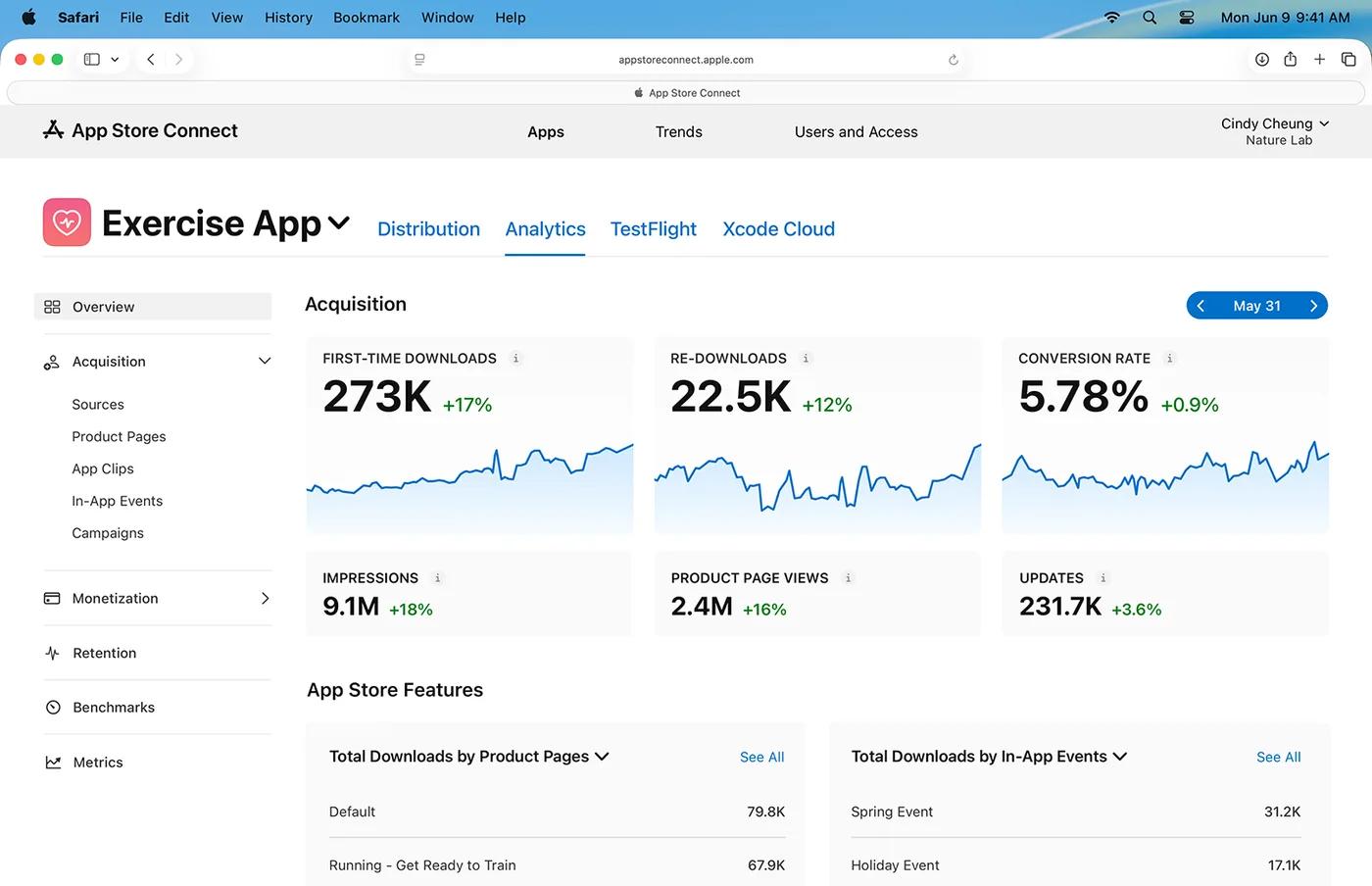
2. Diagnose the bottleneck in App Store Connect
Open Analytics for your own app. Record the date range, storefront, source type and whether a metric counts devices, downloads or people. Compare equivalent periods and sources; traffic from a social post may convert differently from an exact search query.
| Discovery | Unique impressions and acquisition sources | Relevance of targeted searches and external traffic |
| Product page | Unique product page views | Does the search result communicate the app's purpose? |
| Download | First-time downloads, total downloads and store conversion | Screenshots, positioning, trust and source mix |
| Activation | First useful in-app action | Unnecessary setup steps or a mismatch with the listing |
| Retention | Day 1 and Day 7 by acquisition cohort | Does the app solve a problem users return for? |
| Payment | Paying users, proceeds and refunds | Whether the offer covers acquisition and support costs |
These stages are diagnostic, not a compulsory path. Someone can download directly from a search result without opening the product page. Do not force all downloads through a product-page-view denominator. See Apple's metric definitions and the App Store Connect Analytics guide.
3. Increase organic downloads with ASO
App Store optimization (ASO) improves how easily relevant users find a listing and understand why they should install it. Start with terms a user would actually type. A budgeting app might test “expense tracker,” “budget planner” or “shared budget planner,” rather than relying only on a brand name nobody knows yet.
Record your initial keyword positions
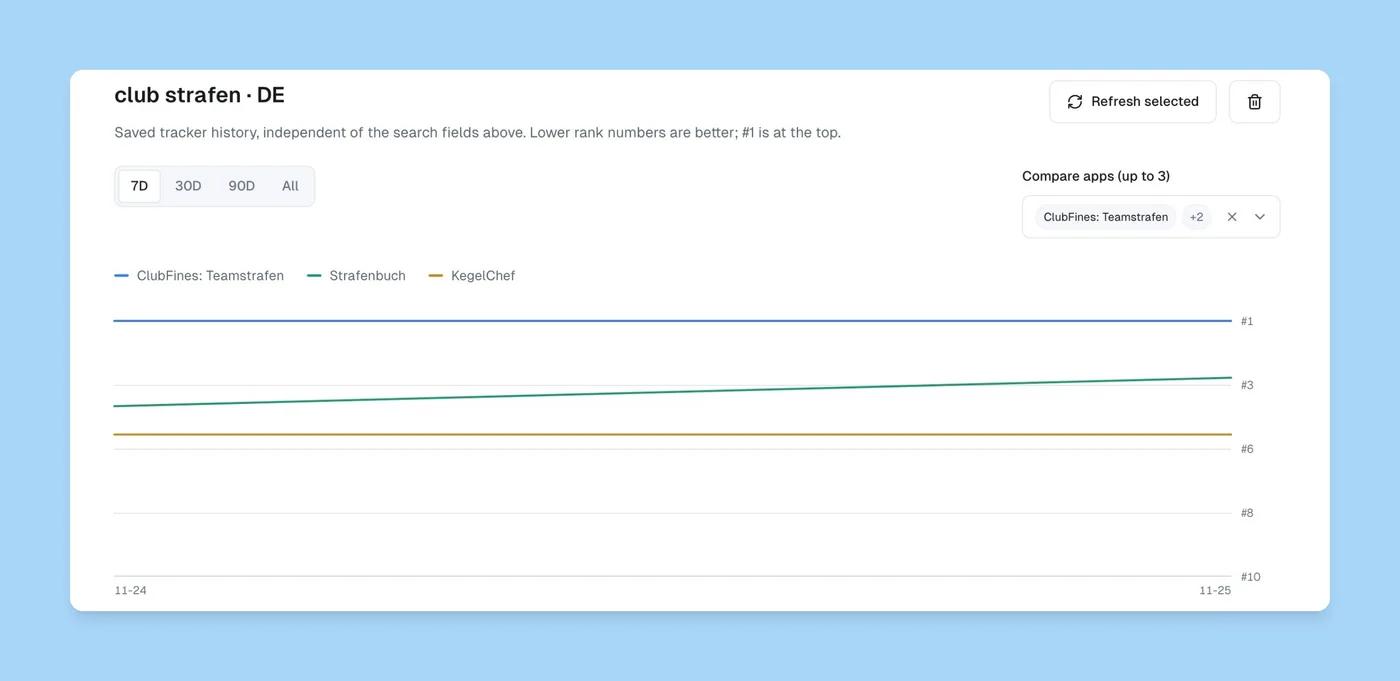
Use the free App Store Rank Checker to choose an app, keyword and storefront. Record the date, position and scan depth. If the app is not found within the checked results, record it as not found within that range, not unindexed. A US position does not describe visibility in the UK, Canada or Australia. Use the same storefront for repeated checks; see how to track App Store rankings by country.
Recorded example: Notion: Notes, Tasks, AI was observed at #3 for “productivity” in the US on 2026-08-22. This is one historical observation, not a current ranking or a download estimate. Read the source snapshot.
Choose keywords you can serve well
Assess relevance, likely demand, competition and download intent separately. Look at the current results, rating volume, strength of established brands and how consistently those apps appear. A broad term with strong demand can still be a poor early target if competing apps fit the query better.
| budget | Medium | Many different intents | Inspect results before targeting |
| expense tracker | High for an expense logger | Established direct competitors | Compare ratings, brand strength and current rank |
| shared budget planner | High if sharing is available | Narrower intent, not necessarily easier | Check whether results actually support shared budgets |
| daily cash spending log | High for a logging app | Narrower use case; demand uncertain | Check relevant results and test the message |
This is a decision example, not measured keyword data. Use Keyword Suggestions for ideas, Keyword Difficulty for modeled competition, and Keyword Gap to compare terms where another app ranks and yours is weaker or absent. Select three to five genuinely comparable apps, not just the biggest names in your category. Apple Ads popularity can add a separate demand signal, but it is not exact organic search volume.
Improve metadata and track what changed
Apple's app information reference gives a 30-character limit for the app name and subtitle. The platform version reference specifies up to 100 bytes for the keyword field; byte count matters for non-ASCII text. Separate terms with commas, prioritize relevance and avoid unnecessary duplication or unauthorized competing brand names. Promotional text is not a place to add ranking keywords.
For example, “RunFlow: Running Tracker” is clearer about the use case than the fictional name “RunFlow” alone. Use the free Metadata Analyzer to review public listing fields and draft keywords; it cannot inspect a competitor's private keyword field.
Choose a manageable group of relevant terms to monitor, perhaps 20 to 50 candidates across your priority markets. Keep a change log: date, storefront, old and new copy, and what you expected to happen. The Keyword Ranking Tracker is useful for comparing observations over time. A change after a release is not proof that the release caused it.
4. Improve App Store conversion before scaling traffic
If impressions are healthy but downloads are weak, inspect your product promise before increasing spend. In a simplified example without pre-orders, 200 downloads from 10,000 unique impressions is 2%; 500 from the same impressions is 5%. That is 2.5 times as many downloads at the same exposure. It is an arithmetic example, not a promised uplift.
The first screenshots should explain what someone gets. Depending on orientation and placement, up to three screenshots may appear in search results. Keep the copy readable at actual phone size and show screens that exist in the app.
| First | Dashboard | Take control of your spending |
| Second | Statistics | See where your money goes |
| Third | Categories | Build a budget you can stick to |
The alternatives are hypotheses, not test results. Follow the promise with a real demonstration and address one relevant objection, such as whether setup is complicated. Check whether your icon still stands out at search-result size rather than just on the design canvas.
Use Apple's Product Page Optimization to test appropriate icon, screenshot or app-preview alternatives. Change one major idea per test where possible. A useful hypothesis is “Outcome-led screenshots convert better than feature labels for people arriving from category searches.” Do not declare a winner on a small, noisy sample.
5. Use TikTok slideshows to test organic discovery
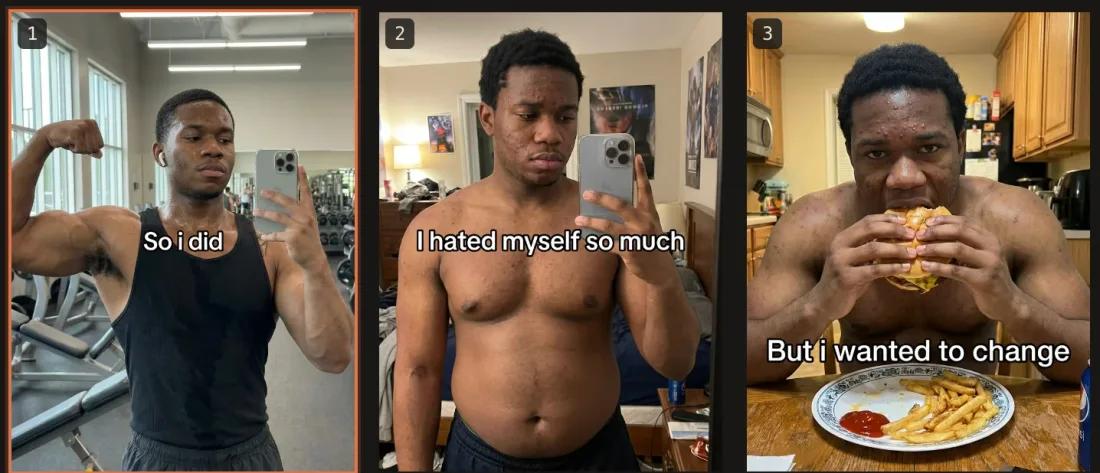
Make something worth watching even if the viewer never downloads the app. A six-slide habit-tracker post could start with “Why your new habit never sticks,” explain changing too many things, relying on motivation and failing to define a minimum, then give a simple routine and show how the app tracks it.
For a running app, try “What I wish I knew before my first 5K,” followed by a training mistake, an example week and a real app demonstration. Only use first-person stories you or the creator can substantiate. Avoid misleading hooks, invented testimonials and unrelated views.
Test three to five angles over roughly 30 days. Start at a cadence you can sustain; one to three original posts on a day is an optional experiment, not a platform requirement or a path to guaranteed virality. Compare relevant comments, profile visits, store traffic and activation rather than views alone. TikTok Creative Center can help you research creative formats.
6. Grow with user-generated content
UGC works best when the audience can recognize their problem and see the actual app solve it. Try a founder demo, a creator tutorial, a before-and-after workflow, or a genuine customer story used with permission. A useful brief is hook → problem → screen demo → practical outcome → next step.
Find creators already talking to the audience you want, such as beginner runners, working students or people budgeting as a couple. Compare audience fit, recent comments, explainability and consistency rather than follower count alone. Ask for a written quote separating content production, organic posting, paid usage, duration, raw files and exclusivity.
Start with a small pilot and compare angles before buying a large production package. Disclosure and reuse rules depend on the jurisdiction and platform; make sponsorship clear and confirm usage rights before adapting or promoting anyone's content.
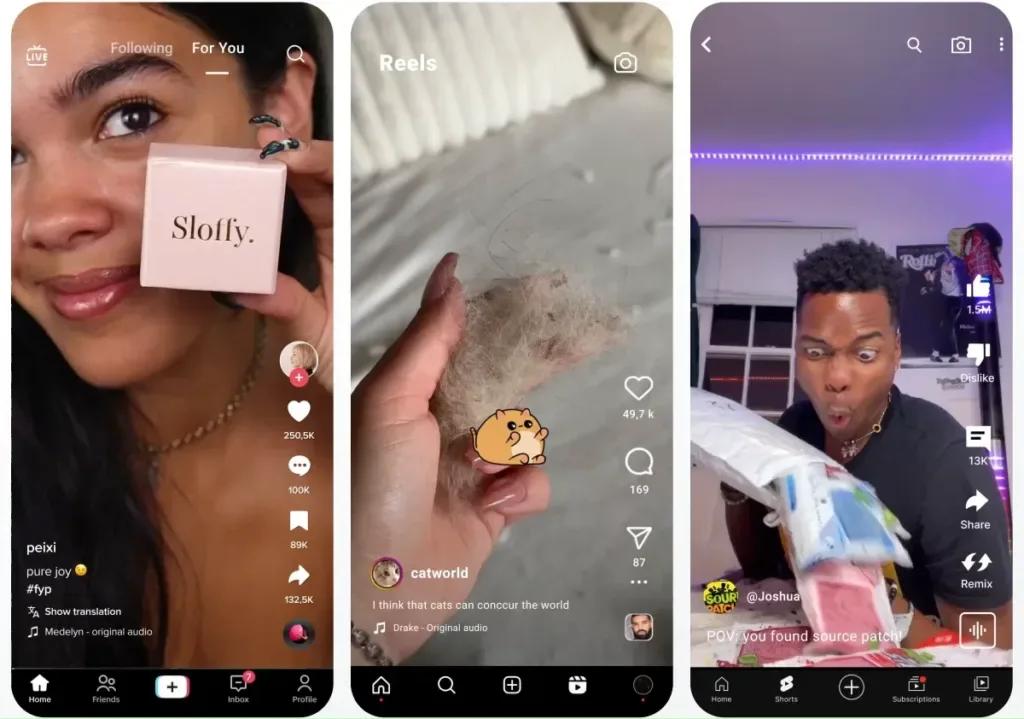
7. Repurpose content for Reels and Shorts
Keep a clean master recording you can adapt to TikTok, Instagram Reels and YouTube Shorts. Recut the opening, check caption overlays against each app's interface, and adjust the call to action. Pinterest or Facebook Reels may make sense if your audience is active there.
Reuse the story, not necessarily the full exported video. Confirm rights to music, footage, people and creator assets for each account and publication channel. Compare performance per platform using consistent downstream outcomes.
8. Promote your app in Reddit and niche communities
Look where people discuss the problem. A budgeting app belongs in relevant budgeting conversations, not automatically in a developer community. Read the specific community's promotional rules, contribute without an install link when it is not needed, and disclose that you built the app when mentioning it.
Good first posts include a practical answer, a transparent request for feedback, or what you learned testing a workflow. Never disguise an ad as a neutral recommendation or repeatedly drop links. The same principle applies to Discord, Facebook groups and specialist forums.
9. Build long-term acquisition with SEO and GEO
Build pages for problems that genuinely lead to your app. A budgeting app could publish a weekly budget template or a guide to tracking household expenses. A running app might offer a pace calculator, a first-5K plan, or a post about planning recovery days. The visitor should receive something useful before the install prompt.
Use this path: problem search → useful page or free tool → relevant product page → download or signup. Put the App Store link near the point where the app becomes the natural next step; keep measurement separate from assumptions about what drove the install.
For AI-assisted search, well-structured answers, transparent methods, dated original evidence and useful comparisons make your work easier to understand. Do not publish near-duplicate pages for every wording or treat citations as guaranteed. Google's helpful content guidance is a better starting point than a supposed GEO trick.
10. Use Apple Ads to measure high-intent acquisition
Start with one market, a small set of relevant queries, and a budget cap you can afford to lose. Separate brand, category, specific long-tail and discovery experiments so you know what produced the traffic. Apple Ads keyword best practices describe how Search Match can help discover relevant queries for search-results campaigns. Paid placement is separate from organic ranking.
An illustrative test might target $5 to $20 per day for two to four weeks, subject to a hard total cap of $100 to $500. It is not a minimum or a forecast. Allow for the cap to stop the experiment early, and decide up front what evidence would justify further spending.
| Spend | $100 |
| Attributed downloads | 50 |
| Cost per attributed download | $2 |
| Paying users in the measured cohort | 5 |
| Cost per paying user | $20 |
The math only supports an economic decision if downstream outcomes are actually attributable and your sample is sufficient. Compare acquisition cost with contribution after platform fees, refunds and costs. Ad-attributed installs are not a clean substitute for incremental downloads.
11. Use Meta Ads or TikTok Ads after creative validation
If an organic demo brings relevant conversations and users, it may be a reasonable paid test candidate for a visually demonstrable app. But a high-view post does not automatically make a profitable ad. Try a small experiment with one audience and one clear message; compare the cost of an activated or retained user, not just clicks.
Reuse creator material only within the agreed rights. Increase spend after downstream performance supports it, not because an ad set briefly had a lower cost per install.
12. Localize for one or two additional markets
Localization is more than changing the description. Review local search language, name and subtitle, screenshots, interface and onboarding, pricing and support. Keep metadata and the app experience aligned. A localized listing that leads to untranslated onboarding can disappoint the users it attracts.
| Search opportunities | Local phrases, observed ranks and competitor fit |
| Listing readiness | Local metadata, screenshots and accurate claims |
| Product readiness | Interface, onboarding and support coverage |
| Success measure | Activation or retention by storefront, not rank alone |
Check actual country-specific results first, using App Store charts for market context and keyword checks for query-specific positions. Category charts are not keyword search results. There is no need to launch every supported language at once.
13. Explore additional growth channels
- Influencers: choose niche creators whose followers face the same problem; a broad audience is not automatically better.
- Referrals: give users a reason to invite someone, such as useful collaboration or a shared plan. Do not reward ratings, manipulate rankings or buy reviews.
- Built-in sharing: publish useful outputs people already want to share, such as a workout summary or study milestone, with clear privacy controls.
- App Store featuring: consider a featuring nomination for an eligible launch or update. Selection is editorial and not guaranteed.
- Custom Product Pages: create variants for distinct audiences. A first-5K ad can lead to a page focused on beginner training rather than marathon performance.
- Directories and launch communities: use a relevant directory or launch platform when its audience matches your users.
- Email: build an opt-in list around helpful updates and resources. Give readers a clear way to unsubscribe.
14. Compare iOS app marketing strategies
| ASO | Low | Regular store checks and tests | Getting found for relevant queries |
| TikTok slideshows | Low if self-produced | Frequent creative experiments | Testing a problem-led hook |
| UGC | Low to variable | Creator outreach and editing | Showing an app in context |
| SEO | Low cash, higher time | Writing, tooling and maintenance | Capturing repeated problem searches |
| Reddit and communities | Low | Trust-building and participation | Talking to a focused audience |
| Apple Ads | Paid | Keyword and measurement work | Testing search intent in one market |
| Paid social | Paid | Creative and attribution work | Testing a message with known relevance |
Costs are qualitative planning estimates, not market rates, and exclude your own time. Early on, ASO plus one suitable organic channel is usually easier to learn from than several paid channels running in parallel.
15. Choose channels that fit your app category
| Fitness and habits | ASO and short-form organic | First-week routine with a real progress view |
| Finance and budgeting | ASO and problem-led SEO | Shared budget template with a setup walkthrough |
| Productivity | SEO and niche communities | A reusable workflow or calculator |
| Education | ASO and creator tutorials | A short lesson and exactly what it teaches |
| Photo and video | Creator demos and short-form organic | A real edit from start to finish |
Pick the channels where the audience is already active. If you cannot explain why qualified users will find you there, postpone the channel.
16. Measure more than downloads
Track discovery, activation, retention and revenue as separate metrics. Apple's overall App Store Connect conversion rate divides total downloads plus eligible pre-orders by unique device impressions, with no double count at fulfillment. A ratio you calculate from product-page views is a different measurement.
| Owned store analytics | Unique impressions and downloads from App Store Connect | A competitor's exact downloads |
| Observed public data | Organic position for one query, storefront and timestamp | Exact search volume or total traffic |
| Modeled score | Difficulty or opportunity estimate | An official Apple ranking factor |
| Campaign attribution | Downloads credited to a campaign in the reported window | That every credited download was incremental |
| App cohort analytics | Activation, retention and paying users | Perfect cross-platform attribution |
Use campaign links where supported, consistent custom product page destinations, and privacy-appropriate in-app product analytics. A user may see a video and later search for your app by name, so channel-level attribution can be incomplete. Compare the same denominator, cohort and period across tests.
17. Follow a 30-day post-launch plan
| 1 | Audience and baseline | One audience, five direct competitors, 30 to 50 candidate terms, a storefront baseline and one activation event |
| 2 | App Store conversion | One metadata hypothesis, revised first screenshots, a review of the icon, and a dated change log |
| 3 | Organic acquisition | Three messages tested in one repeatable format; repurpose the best creative and contribute to one relevant community |
| 4 | Review and decide | Compare visibility, conversion and first-week retention; fix the biggest leak and consider a capped paid search test |
The goal is to learn which users come back, not to hit an arbitrary download target. Document the decision to keep, change or stop each experiment before beginning the next one.
18. Set a budget you can learn from
| $0 | Use ASO, competitor-review research, founder-led content, relevant communities and onboarding improvements. Budget time rather than money. |
| $100 | Reserve $75 for a narrow search test and $25 for creative supplies or a second iteration. |
| $500 | Reserve $200 for search, $200 for a small creator pilot and $100 for a follow-up test. |
| $1,000 | Reserve $400 for search, $350 for creator assets, $150 for a paid-social test and $100 for iteration. |
These are allocations, not typical prices or required spend. If you cannot measure a useful downstream event, keep more of the budget in reserve. Creator availability and usage-rights terms may make the example mix impractical.
19. Avoid common growth mistakes
- Tracking keywords without recording the storefront, date or the size of the checked result set.
- Treating a score, cached result, or competitor revenue estimate as an official number.
- Using broad keywords, generic screenshots or feature lists that do not communicate a benefit.
- Marketing to other developers instead of the people whose problem the app solves.
- Increasing ad spend before you know how new users activate, retain and pay.
- Making several unrelated changes at once, buying fake installs or reviews, or counting on one viral post.
The best next action depends on the bottleneck. Sometimes a better onboarding flow, clearer positioning or a more useful feature is worth more than another marketing channel.
Build an app growth system, not a one-off campaign
Choose one audience and one storefront. Fix the weakest stage, run a small test, write down what changed and track whether the users you acquired are a good fit. Repeat that process before scaling.
Check one App Store keyword for free to establish your first visibility baseline, or explore the ASO tools for keyword discovery, modeled difficulty, competitor research and saved rankings.
Frequently asked questions
Everything you need to know before you install your first component.
Sources and review standard
Platform-specific claims are linked to primary documentation where available. AppStoreStatistics public data is observed or modeled as labeled; it is not private App Store Connect data.
- Apple Developer: App Store Search
- Apple Developer: Creating your product page
- Apple: Analytics metric definitions
- Apple: App information field reference
- Apple: Platform version information
- Apple Developer: Product Page Optimization
- Apple Developer: Custom Product Pages
- Apple Developer: Getting featured
- Apple Ads: Keyword best practices
- TikTok Creative Center
- Google Search Central: Helpful, reliable, people-first content
- AppStoreStatistics: Data methodology